> ## Documentation Index
> Fetch the complete documentation index at: https://openmetadata-add-ontology-explorer-docs.mintlify.site/llms.txt
> Use this file to discover all available pages before exploring further.
# How To Run Ingestion Pipeline Via CLI with Basic Auth
# How To Run Ingestion Pipeline Via CLI with Basic Auth
Out of the box, OpenMetadata comes with a Username & Password Login Mechanism.
Basic Authentication
From `0.12.1` OpenMetadata has changed the default `no-auth` to `Basic` auth, So to run any ingestion pipeline from CLI you will have to pass the `jwtToken` and `authProvider` in the `securityConfig`.
## How to get the JWT token
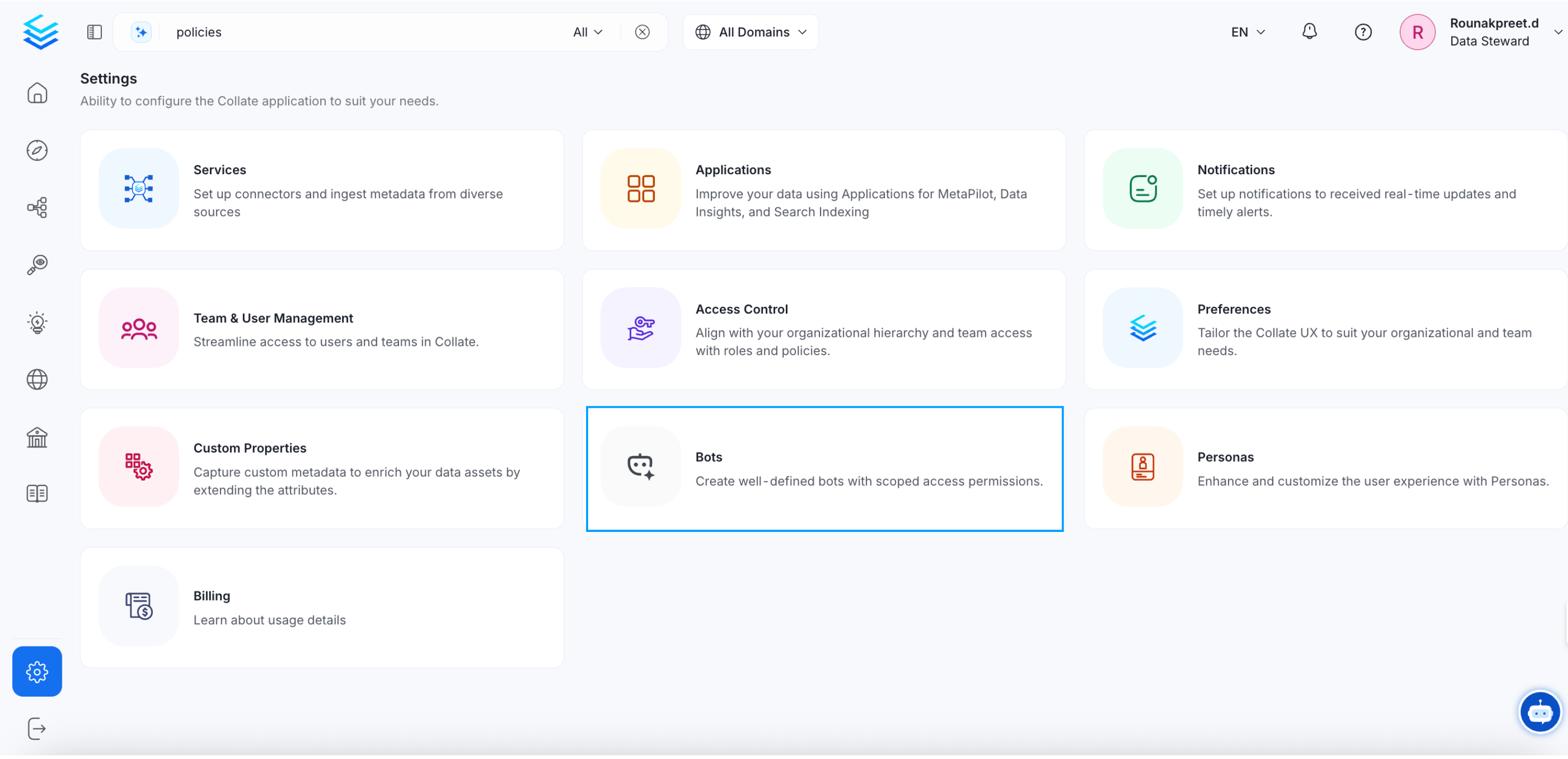
**Note**: The **Bots** tile under **Settings** is only visible to users with Admin privileges. If you don't see it, ask your organization's OpenMetadata Admin to generate a bot token for you or grant you Admin access.
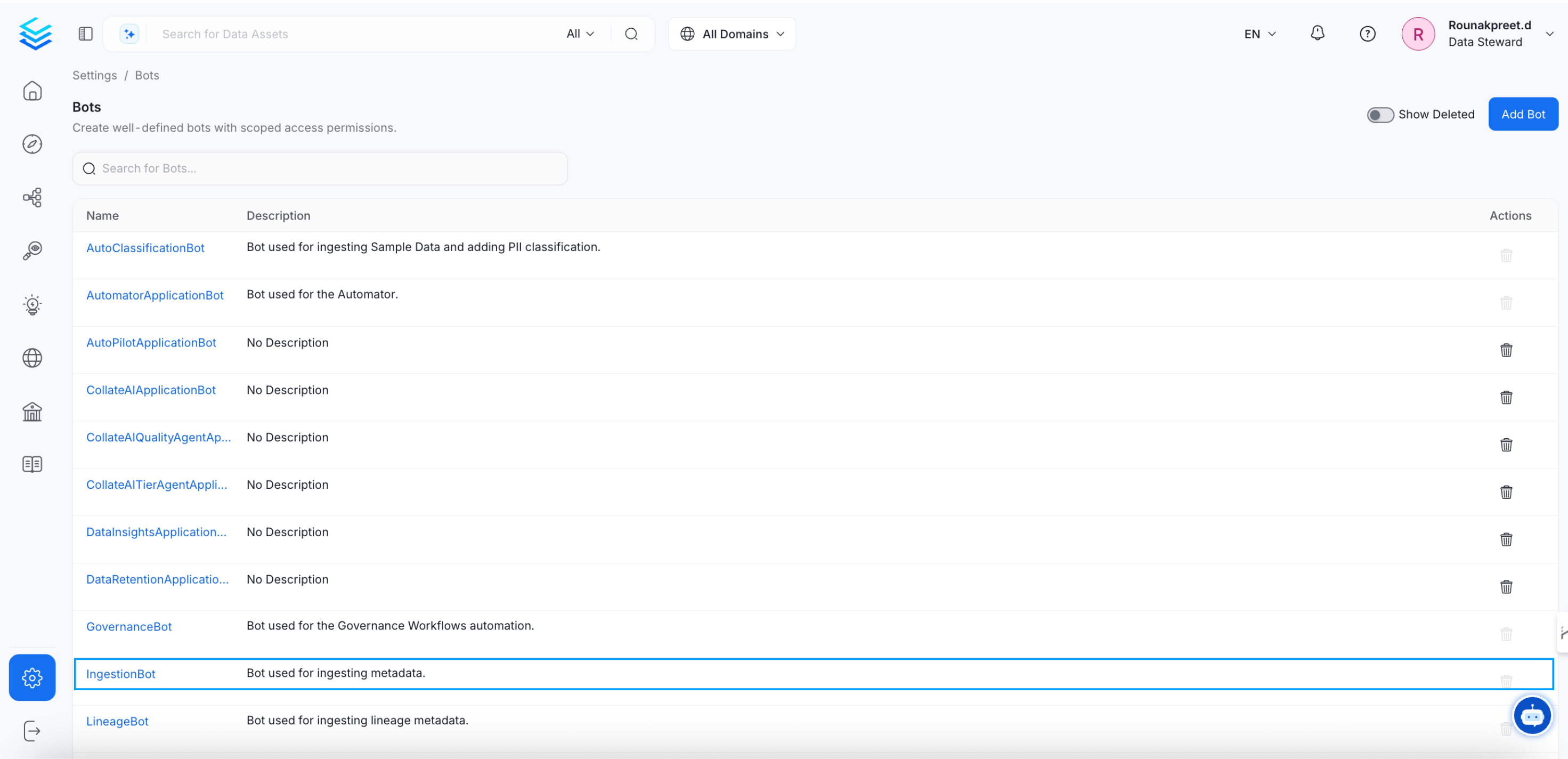
**1.** Go to the `settings` page from the `activity bar` Section. Click on the `Bots` and you will see the list of bots, then click on the `ingestion-bot`.
 **2.** You will be redirected to the `ingestion-bot` details page. there you will get the JWT token, click on the copy button and copy the JWT token.
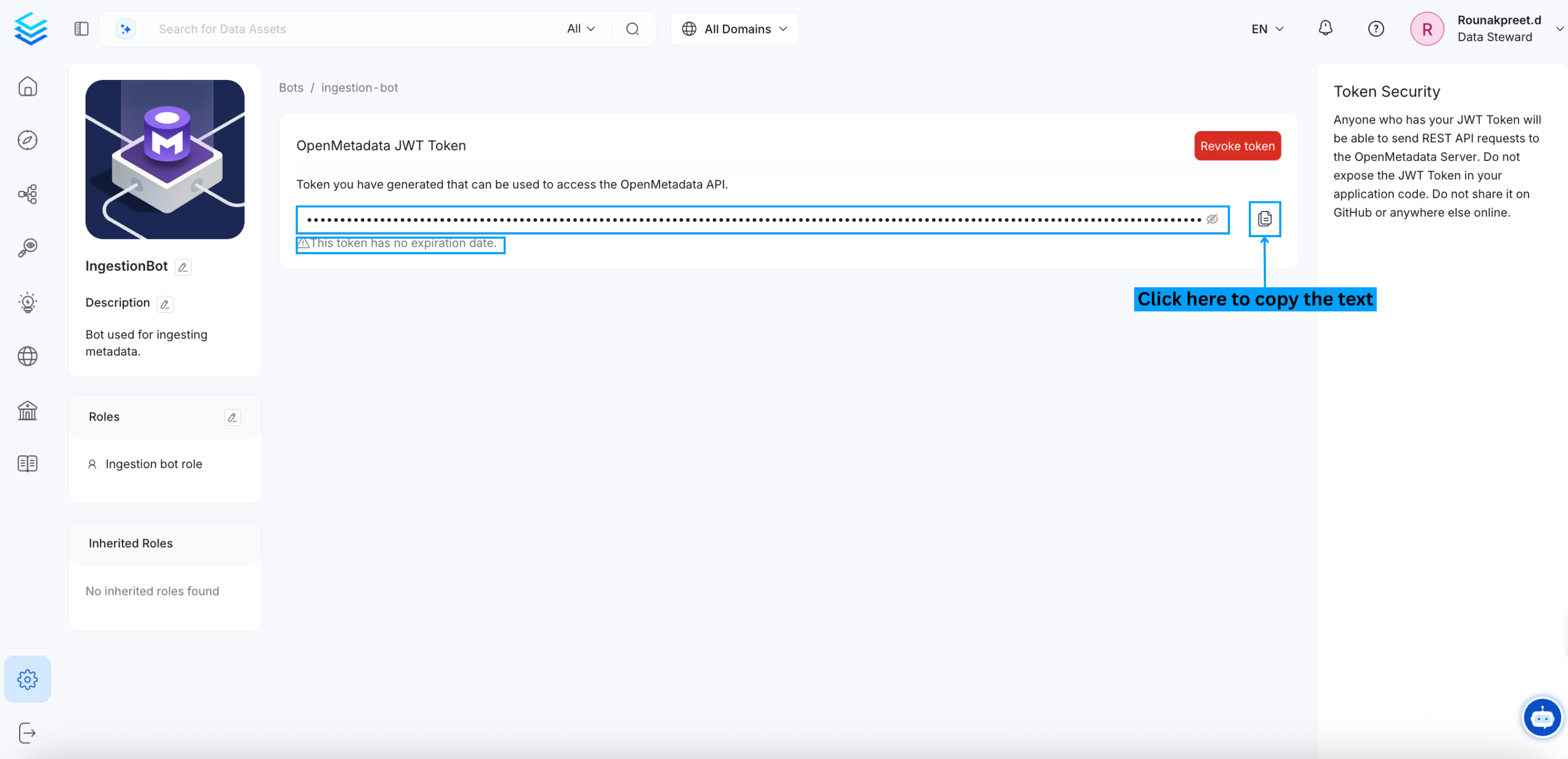 Alright, now you have the JWT token, let see how to add that into the workflow config.
## How to add JWT token into the workflow config
Now Past the copied JWT Token into your pipeline `securityConfig`, So your final workflow config will look like this.
> AuthProvider Should be **openmetadata** i.e authProvider: openmetadata
```yaml theme={null}
workflowConfig:
openMetadataServerConfig:
hostPort: http://localhost:8585/api
authProvider: openmetadata
securityConfig:
jwtToken: 'eyJraWQiO...'
```
Now you can run the pipeline by running.
```commandline theme={null}
metadata ingest -c ./pipeline_name.yaml
```
Alright, now you have the JWT token, let see how to add that into the workflow config.
## How to add JWT token into the workflow config
Now Past the copied JWT Token into your pipeline `securityConfig`, So your final workflow config will look like this.
> AuthProvider Should be **openmetadata** i.e authProvider: openmetadata
```yaml theme={null}
workflowConfig:
openMetadataServerConfig:
hostPort: http://localhost:8585/api
authProvider: openmetadata
securityConfig:
jwtToken: 'eyJraWQiO...'
```
Now you can run the pipeline by running.
```commandline theme={null}
metadata ingest -c ./pipeline_name.yaml
```